How much RAM you need to run Mistral 8B locally depends on the model version and quantization level. For most users, 8–12 GB of RAM is the practical minimum for 4-bit quantized models, while 16 GB or more provides a smoother experience and supports larger context windows.
If you’re running Mistral 8B on a Mac with Apple Silicon, unified memory is especially important. More RAM generally means faster inference, better multitasking, and improved performance with complex AI workloads.
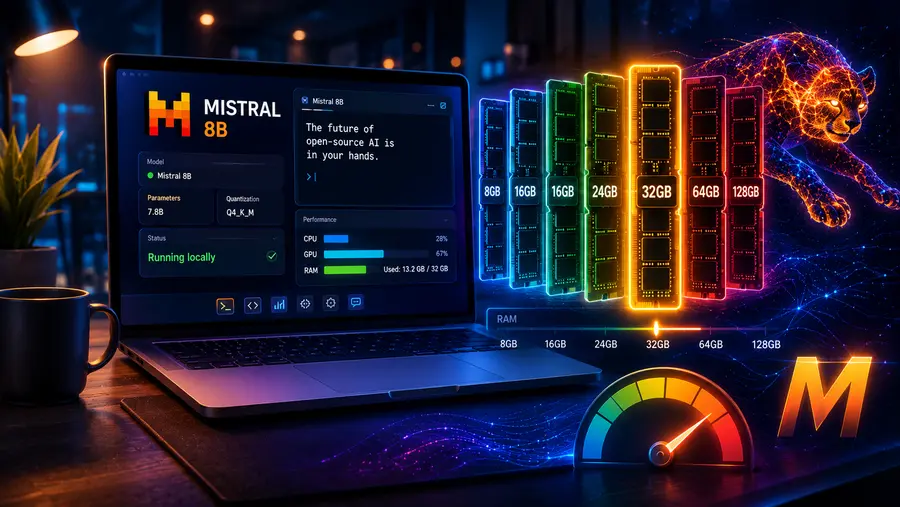
Can I Run It? How Much RAM Do You Actually Need to Run Mistral 8B Locally?
To run Mistral 8B (often referred to as Ministral 8B or Mistral 3 8B) locally with standard 4-bit quantization and an 8K context window, you need an absolute minimum of 8GB of RAM (or VRAM on a dedicated GPU).
However, for a completely smooth experience without system lag or bottlenecking, 16GB of system RAM or a dedicated graphics card with 12GB of VRAM (like an RTX 3060) is the highly recommended sweet spot.
The landscape of local Large Language Models (LLMs) has fundamentally shifted. Gone are the days when you needed a $10,000 server rack to generate coherent text.
With the release of highly optimized sub-10 billion parameter models like Mistral 8B, local AI has officially moved from the research lab to the consumer desktop.
But as the capabilities of these models grow—introducing massive 128,000-token context windows and multimodal vision capabilities—the hardware question becomes the ultimate barrier to entry. Every day, forums are flooded with the same gaming-era question: Can my PC run this?
Let’s break down the exact mathematics of local AI memory management. Understand how weights, quantization, and context windows consume memory and know exactly what hardware you need to deploy Mistral 8B successfully.
Why Mistral 8B Changes the Local Hardware Equation
Before we calculate memory, it is crucial to understand what makes Mistral 8B unique. The 8B architecture (often designated as Ministral 8B or part of the Mistral 3 family) is explicitly designed for “edge computing.” It was built as a successor to the wildly popular Mistral 7B. It was engineered from the ground up to run on laptops, local servers, and embedded devices.
To achieve this, Mistral implemented two major architectural memory-saving features:
- Grouped Query Attention (GQA): Older models required a massive amount of memory to process long conversations because they duplicated attention “keys” and “values.” GQA groups these together, drastically reducing the memory overhead needed to hold a conversation.
- Interleaved Sliding-Window Attention: Instead of forcing the model to re-calculate every single token in a massive document, the model focuses its computational power on a sliding “window” of recent context, making it far more efficient and capable of reading massive 128K token documents without immediately crashing consumer hardware.
Despite these efficiencies, the laws of physics still apply: an 8-billion parameter neural network requires a strictly defined amount of physical memory to exist on your machine.
The Core Math: How Model Size Translates to RAM
When discussing local AI, we need to separate system RAM (the memory slotted into your motherboard) from Video RAM or VRAM (the specialized memory soldered onto your graphics card).
If you have an Apple Silicon Mac, you have Unified Memory, meaning your CPU and GPU share the exact same pool.
Regardless of memory type, the base calculation for loading an LLM is a simple formula based on precision.
When a model is trained, its 8 billion parameters are stored as floating-point numbers. At full, uncompressed precision (known as FP16 or 16-bit precision), every single parameter takes up exactly 2 bytes of memory.
The Loading Formula: > Parameters × (Bits of Precision / 8) = Gigabytes of VRAM Required
For an uncompressed Mistral 8B model:
8,000,000,000 parameters × (16 bits / 8) = 16 Gigabytes.
This means that if you want to run Mistral 8B exactly as it left the research lab, you need 16GB of free memory just to load the mathematical weights, without accounting for your operating system or the chat window. For a PC with exactly 16GB of RAM, attempting to load a 16GB file will immediately crash the system.
This leads us to the most important technology in local AI: Quantization.
The Magic of Quantization: Shrinking the Footprint
Because requiring 16GB just for weights is unfeasible for most consumers, the open-source community relies on Quantization. Think of quantization as a highly intelligent ZIP file for neural networks, but instead of unzipping the file to use it, the model runs natively in its compressed state.
Quantization works by rounding off the long, complex floating-point numbers into smaller, less precise numbers. It reduces a 16-bit number down to 8 bits, 5 bits, or even 4 bits.
The Memory vs. Intelligence Trade-off
Reducing mathematical precision sounds like it would make the AI stupid, but LLMs are incredibly resilient. Researchers discovered that you can compress an LLM down to 4-bit precision and it will retain roughly 95% of its reasoning capabilities and intelligence.
Here is how quantization drastically alters the RAM requirements for Mistral 8B (using the popular .gguf format):
| Precision Format | Bit Size | VRAM Needed to Load Weights | Intelligence Retention |
| FP16 (Uncompressed) | 16-bit | ~16.0 GB | 100% |
| Q8_0 (High Quality) | 8-bit | ~8.5 GB | ~99% |
| Q6_K (Balanced) | 6-bit | ~6.5 GB | ~98% |
| Q4_K_M (Standard/Fast) | 4-bit | ~4.8 GB | ~95% |
| Q2_K (Extreme Compression) | 2-bit | ~2.9 GB | ~80% (Noticeable degradation) |
The Developer Standard: The vast majority of users running local AI download the Q4_K_M (4-bit) version of the model. By cutting the required memory from 16GB down to roughly 4.8GB, the model becomes accessible to practically any modern laptop.
The Hidden Memory Tax: Context Length and KV Cache
If you download the 4-bit version of Mistral 8B, it takes up roughly 4.8GB. If you have an 8GB machine, you might think you have plenty of room to spare. Unfortunately, loading the model is only half the battle.
When you start talking to an AI, it needs working memory to process your prompt and “remember” the conversation. In machine learning, this working memory is called the KV Cache (Key-Value Cache).
Every single word (token) you type, and every single word the AI generates, gets stored in the KV Cache. The longer the conversation, the bigger the cache grows. Mistral 8B supports a massive context window of 128,000 tokens—equivalent to a 300-page book.
If you try to feed a 300-page PDF into Mistral 8B, the KV Cache balloons in size:
- 2K Tokens (Standard Chat): Adds ~50MB to 100MB of RAM.
- 8K Tokens (Coding & Articles): Adds ~300MB to 400MB of RAM.
- 32K Tokens (Small Books): Adds ~1.5GB of RAM.
- 128K Tokens (Maximum Capacity): Can add upwards of 5GB to 6GB of RAM.
If your KV Cache grows larger than your available physical memory, your system will start “swapping” memory to your SSD. When this happens, your generation speed will instantly plummet from a snappy 30 tokens per second down to a painful 1 or 2 tokens per second.
Don’t Forget the OS: Calculating System Overhead
The final piece of the mathematical puzzle is your computer’s base operational requirements. Your Operating System (Windows 11, macOS, or Linux) requires memory just to keep the screen on, manage background processes, and run the interface.
- Windows 11 / macOS: Assume 2.5GB to 3.5GB of RAM is permanently spoken for.
- Background Apps: A browser with a few tabs, Discord, and Spotify will easily eat another 1GB to 2GB.
The Realistic 8GB PC Scenario
Let’s look at what actually happens when you try to run the standard 4-bit Mistral 8B on a base-model 8GB laptop:
- Total System RAM: 8.0 GB
- Minus OS & Background Apps: – 3.0 GB
- Available for AI: 5.0 GB
- Minus Mistral 8B Weights (4-bit): – 4.8 GB
- Remaining RAM for Context: 0.2 GB (200 Megabytes)
With only 200MB left for the conversation (KV Cache), you will only be able to maintain very short, basic chats before the system maxes out its memory and grinds to a halt. It runs, but it is a highly constrained experience.
The Hardware Verdict: Which Tier Are You In?
Based on the math above, here is exactly what you can expect across different hardware configurations in 2026.
Tier 1: The 8GB RAM Constraint (Minimum Viable)
- Target Devices: Base M1/M2 MacBooks, budget Windows laptops, older desktop PCs.
- What you can run: Mistral 8B at 4-bit quantization (Q4_K_M).
- The Experience: You must close memory-heavy applications like Chrome or video editors before launching your AI. You will be restricted to shorter context windows (2K to 4K tokens). It is excellent for basic queries and testing, but not suitable for analyzing large documents.
Tier 2: The 16GB RAM / 12GB VRAM Sweet Spot (Recommended)
- Target Devices: M3/M4 Pro MacBooks, Desktop PCs with an NVIDIA RTX 3060 / 4070 (12GB VRAM).
- What you can run: Mistral 8B at a higher quality 8-bit quantization (Q8), or the 4-bit version with a massive 32,000+ token context window.
- The Experience: This is the ideal setup for most developers and enthusiasts. You can keep your background apps open, analyze heavy codebases, and experience blazingly fast token generation. You can even run two smaller models side-by-side.
Tier 3: The 24GB+ / 32GB RAM Workstation (Power User)
- Target Devices: RTX 3090 / 4090 GPUs, Mac Studios, Enterprise laptops.
- What you can run: Mistral 8B at full FP16 uncompressed precision with maximum 128K context, or scale up to massive 30B+ parameter models (like CodeLlama 34B or Mixtral 8x7B).
- The Experience: Total freedom. You can host Mistral 8B locally as an always-on background API to power autonomous agents, IDE code-completion tools, and automated workflows without ever noticing a dip in system performance.
To help you determine exactly what your specific system can handle, use the interactive calculator below to balance Model Size, Quantization precision, and Context Window against your available RAM.
Read Here: Ollama vs LM Studio: Which is Better for Running Llama 3 on a Mac?
Frequently Asked Questions
1. Can I run Mistral 8B on 8GB of RAM?
Yes, you can run Mistral 8B on 8GB of system RAM by using 4-bit quantization, which compresses the model to around 4.8GB. However, performance will be highly constrained, and you must close background applications to prevent the system from crashing due to limited physical memory.
2. What is the recommended RAM for Mistral 8B?
For a smooth, unrestricted experience, 16GB of system RAM or a dedicated GPU with 12GB of VRAM is highly recommended. This capacity allows you to utilize higher-quality 8-bit quantization or maintain a massive 32,000-token context window without experiencing system lag or any hardware memory bottlenecks.
3. Do I need a dedicated GPU to run this model?
No, a dedicated GPU is not strictly necessary. You can run Mistral 8B locally on a CPU using standard system RAM, but inference speeds will be significantly slower. A dedicated GPU with ample VRAM dramatically accelerates token generation and provides a much better user experience.
4. How does context window size affect memory usage?
Context length directly impacts your memory consumption. Every token in your prompt and the generated response is stored in the Key-Value cache. Increasing the context window from 2,000 tokens to 32,000 tokens adds several gigabytes of RAM overhead beyond the base neural network mathematical weights.
5. What is quantization and why is it important?
Quantization compresses large neural network weights by reducing mathematical precision, such as dropping from 16-bit to 4-bit formats. This process shrinks the model footprint from 16GB down to roughly 4.8GB, allowing everyday consumer laptops to load Mistral 8B without losing any core artificial reasoning capabilities.
6. Will running Mistral 8B slow down my computer?
Yes, if your computer barely meets the minimum RAM requirements, running the model consumes nearly all available memory resources. This forces your operating system to use slower disk swapping, which immediately degrades overall responsiveness, slows down background applications, and drastically reduces token generation output speeds.
7. Can MacBooks run Mistral 8B efficiently?
Yes, modern Apple Silicon MacBooks are exceptionally well-suited for running Mistral 8B. Because they utilize unified memory, the CPU and GPU share the same high-speed RAM pool. An M-series MacBook with 16GB of memory easily handles 4-bit or 8-bit quantized models with rapid word generation.
8. What is the KV cache and why does it matter?
The KV cache is the vital working memory used by the AI to remember the ongoing conversation. As you type longer prompts or input massive documents, the cache size grows linearly. If this cache exceeds your available RAM, the model slows to an absolute crawl.
9. How much RAM does the uncompressed Mistral 8B need?
To run the full, uncompressed 16-bit precision version of Mistral 8B, you need exactly 16GB of RAM just to load the mathematical weights. Factoring in your operating system and the KV cache, you practically need a workstation with 24GB or 32GB of total system RAM.
10. Does background software impact local AI performance?
Absolutely. Your operating system, web browser, and active background applications constantly consume several gigabytes of baseline memory. If you have limited total RAM, closing unnecessary programs before launching your local AI frees up crucial memory space needed to process much larger context document data windows.
Conclusion
Ultimately, deciding to run Mistral 8B locally boils down to matching your expectations with your hardware reality.
While the absolute minimum requirement of 8GB of RAM makes edge computing theoretically accessible to the masses, it demands strict resource management and restricts your ability to analyze lengthy documents.
If you intend to use this powerful model as a daily driver for coding, advanced reasoning, or extensive text generation, upgrading to a 16GB system or investing in a dedicated graphics card with 12GB of VRAM is the most pragmatic choice.
This hardware sweet spot allows you to leverage higher quantization levels and massive context windows without suffering from catastrophic system slowdowns.
The rapid evolution of local AI means models will only become more optimized, but respecting the physical limitations of your machine remains the foundational step for achieving a fast, reliable, and completely private artificial intelligence experience in your home lab today.
References
- ApX Machine Learning. (2024). Ministral-8B-2410: Specifications and GPU VRAM requirements. Retrieved from https://apxml.com/models/ministral-8b-2410
- Mistral AI. (2024). Introducing Mistral 3. Retrieved from https://mistral.ai/news/mistral-3/
- NVIDIA. (2024). Support matrix — NVIDIA NIM for large language models (LLMs). Retrieved from https://docs.nvidia.com/nim/large-language-models/1.4.0/support-matrix.html
- Ollama. (2024). Ollama VRAM requirements: Complete 2026 guide to GPU memory for local LLMs. Retrieved from https://localllm.in/blog/ollama-vram-requirements-for-local-llms
- Vercel. (2024). Ministral 8B by Mistral AI on Vercel AI gateway, specs, pricing & API. Retrieved from https://vercel.com/ai-gateway/models/ministral-8b
Read Here: Anthropic MCP vs LangChain: Which is Best for AI Agent Architecture?